Tax Document OCR Software Preparation Firms: AI-Powered Solutions for Faster Tax Workflows in 2026
Best OCR Software for Tax Preparation Firms: AI-Powered Solutions
Tax season has always been a pressure cooker for CPA firms. Mountains of W-2s, 1099s, K-1s, brokerage statements, receipts, payroll records, and handwritten notes still move through accounting offices every year — even as the industry pushes deeper into digital transformation.
The problem isn’t just volume anymore. It’s speed, accuracy, staffing shortages, and client expectations.
Modern tax clients expect secure portals, faster turnaround times, and fewer document requests. Meanwhile, firms are trying to reduce manual data entry, minimize review hours, and improve realization rates without burning out staff during filing season.
That’s exactly why tax document OCR software has become one of the most important technology investments for accounting firms.
Today’s OCR platforms do far more than basic text recognition. Advanced accounting OCR tools now use AI-driven classification, machine learning, natural language processing, and workflow automation to extract financial data directly from tax forms and accounting documents.
For CPA firms, the impact can be dramatic:
- Faster tax return preparation
- Reduced manual entry errors
- Better client onboarding
- Improved IRS document scanning workflows
- Increased billable efficiency
- Higher staff productivity
- More scalable operations
Some firms reduce preparation time on complex returns by 50% or more after implementing AI tax automation systems correctly.
But not all OCR solutions are designed for tax professionals. Generic OCR software often struggles with tax-specific forms, financial formatting, multi-page statements, handwritten annotations, and compliance-sensitive workflows.
This guide breaks down the best OCR software for tax preparation firms, including enterprise platforms, mid-market CPA solutions, and automation tools built specifically for tax workflows.
Why OCR Matters in Modern Tax Preparation
Tax preparation is fundamentally a data extraction business.
Every return depends on collecting information from financial documents and moving it accurately into tax software. Historically, that process relied heavily on manual entry.
That model simply doesn’t scale well anymore.
Several industry trends are pushing firms toward automation:
Rising Labor Costs
Experienced tax preparers and reviewers are increasingly expensive. Firms are under pressure to improve margins without compromising quality.
Staffing Shortages
The accounting profession continues facing talent shortages, especially during busy season. OCR automation reduces repetitive administrative work and allows skilled staff to focus on higher-value advisory tasks.
Growing Document Complexity
Clients now submit:
- PDFs
- smartphone scans
- portal uploads
- spreadsheets
- screenshots
- multi-page brokerage statements
- foreign tax documents
Handling all of that manually creates bottlenecks.
Increased Client Expectations
Clients expect near real-time responsiveness. Delays caused by document processing can hurt client retention and overall satisfaction.
Competitive Pressure
Forward-looking firms already use AI tax automation to process returns faster and increase throughput during peak filing periods.
What Is Tax Document OCR Software?
OCR stands for Optical Character Recognition.
In tax preparation, OCR software converts scanned documents, PDFs, and images into structured, searchable, machine-readable data.
But modern tax OCR systems go much further than text conversion.
Advanced platforms can:
- Identify tax form types automatically
- Extract financial fields
- Organize workpapers
- Validate data
- Route documents into workflows
- Integrate directly with tax software
- Learn from corrections over time
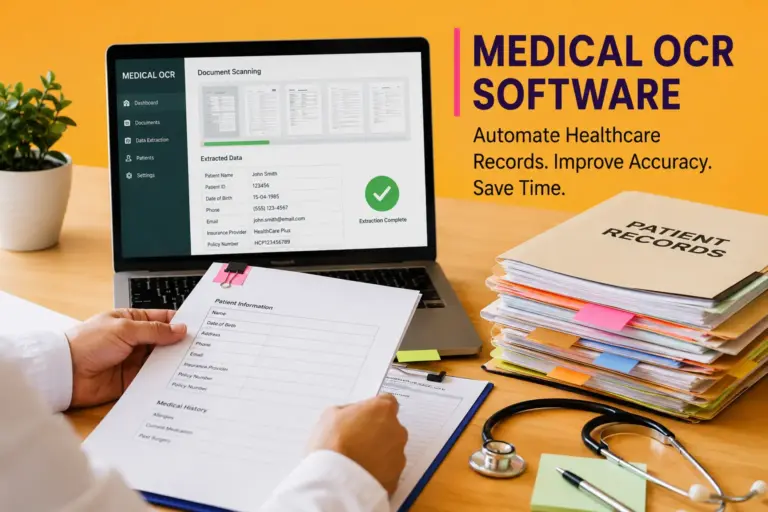
For example, a high-end accounting OCR tool may automatically:
- Detect a Form W-2
- Extract employer EIN, wages, withholding, and Social Security tax
- Map data into UltraTax or Lacerte
- Flag inconsistencies
- Send the return into reviewer workflow
That eliminates large amounts of manual data entry.
Core Features CPA Firms Should Look For
Not every OCR platform is built for accounting workflows. Tax firms should evaluate software based on operational fit, not marketing hype.
Tax Form Recognition
The best systems recognize:
- W-2
- 1099 variants
- K-1
- 1040
- 1098
- brokerage statements
- payroll reports
- bank statements
- IRS notices
Generic OCR engines usually perform poorly here.
AI-Powered Data Extraction
Modern AI tax automation tools use machine learning models trained specifically on financial documents.
This dramatically improves extraction accuracy.
Tax Software Integration
Strong integrations with platforms like:
- Drake Tax
- UltraTax CS
- Lacerte
- ProSeries
- CCH Axcess
- ProConnect
- Thomson Reuters systems
are essential for workflow efficiency.
Verification and Review Tools
No OCR system is perfect.
The best CPA software solutions include side-by-side verification interfaces that allow reviewers to validate extracted data quickly.
Cloud Accessibility
Hybrid and remote accounting teams increasingly need browser-based systems with secure document access.
Security and Compliance
Tax firms handle highly sensitive financial information.
Look for:
- SOC 2 compliance
- encryption
- audit trails
- role-based access
- secure cloud hosting
- MFA support
How AI Tax Automation Is Changing Accounting Workflows
The biggest shift in accounting OCR tools isn’t OCR itself.
It’s AI orchestration.
Modern systems now combine:
- OCR
- machine learning
- workflow automation
- document classification
- validation engines
- API integrations
- predictive processing
This changes how tax firms operate.
Traditional Workflow
Historically:
- Client uploads documents
- Admin organizes files
- Staff manually enters data
- Reviewer checks entries
- Errors require rework
This process consumes enormous labor hours.
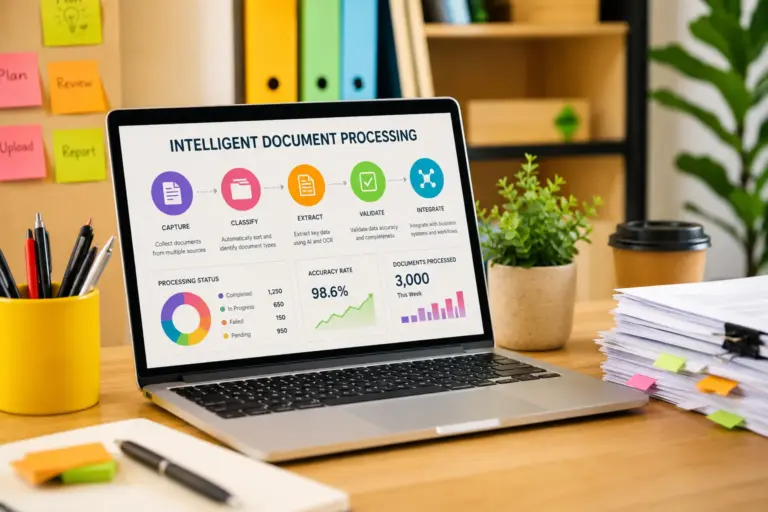
AI-Driven Workflow
Now:
- Client uploads documents
- OCR system classifies forms automatically
- AI extracts data
- Software validates fields
- Data flows directly into tax software
- Reviewer focuses only on exceptions
That shift reduces low-value administrative work significantly.
Best OCR Software for Tax Preparation Firms
SurePrep
SurePrep
SurePrep is widely considered one of the strongest tax-focused OCR platforms in the accounting industry.
Its TaxCaddy and 1040SCAN ecosystem is specifically designed for CPA firms handling large volumes of individual returns.
Strengths
- Excellent 1040 workflow automation
- Deep tax software integrations
- Strong reviewer tools
- AI-assisted document organization
- High extraction accuracy
Best For
Mid-size to large CPA firms managing complex individual returns.
Potential Drawbacks
- Premium pricing
- Learning curve for implementation
- Less ideal for very small firms
SurePrep is particularly strong for firms prioritizing scalable tax workflow automation.
GruntWorx
GruntWorx
GruntWorx focuses heavily on tax preparation automation and document organization.
Many smaller CPA firms like its balance between functionality and usability.
Key Features
- Bookmarking and organization
- Populate tax software directly
- 1040 data extraction
- Workpaper creation
- Integration with major tax systems
Best For
Small to mid-sized tax firms looking for affordable automation.
Considerations
- Not as advanced as enterprise AI systems
- Accuracy depends heavily on scan quality
Still, GruntWorx remains one of the most recognized accounting OCR tools in the tax industry.
AutoEntry
AutoEntry
AutoEntry is more accounting-focused than tax-specific, but many firms use it successfully for bookkeeping and supporting tax workflows.
Strong Areas
- Receipt processing
- Invoice extraction
- Expense management
- Bank statement capture
- Cloud integrations
Best For
Bookkeeping-heavy accounting practices.
Weaknesses
- Less specialized for IRS tax forms
- Not designed primarily for 1040 workflows
Canopy
Canopy
Canopy combines document management, workflow tools, client portals, and automation capabilities.
Its OCR functionality supports broader practice management goals.
Benefits
- Strong client collaboration
- Integrated workflow management
- Centralized document handling
- Modern interface
Best Use Case
Firms wanting an all-in-one operational platform.
Hubdoc
Hubdoc
Hubdoc, commonly used alongside Xero ecosystems, automates financial document collection and extraction.
Advantages
- Strong bookkeeping automation
- Bank and vendor syncing
- Receipt capture
- Lightweight workflow setup
Limitations
- Not tax-return centric
- Limited advanced tax form extraction
DocuClipper
DocuClipper
DocuClipper specializes in extracting data from bank statements and financial records.
Useful Features
- PDF bank statement conversion
- CSV exports
- Accounting system compatibility
- High-speed processing
Ideal Users
Accounting firms processing large numbers of financial statements.
Tungsten Automation (Kofax)
Tungsten Automation
Previously known as Kofax, Tungsten Automation provides enterprise-grade intelligent document processing.
Enterprise Features
- Advanced AI classification
- Scalable automation
- Enterprise workflow orchestration
- Multi-department document processing
Best For
Large accounting enterprises and national firms.
Downsides
- Higher implementation complexity
- Significant configuration requirements
ABBYY FlexiCapture
ABBYY
ABBYY remains one of the most respected OCR engines globally.
Its FlexiCapture platform supports sophisticated financial document processing workflows.
Strengths
- Exceptional OCR accuracy
- Advanced machine learning
- Complex document handling
- Enterprise integrations
Challenges
- Requires technical implementation expertise
- More customizable than turnkey
Cloud vs On-Premise OCR for Accounting Firms
This decision affects:
- security
- compliance
- scalability
- remote work capabilities
- IT costs
Cloud OCR Advantages
Cloud-based tax document OCR software offers:
- easier deployment
- automatic updates
- remote accessibility
- lower infrastructure overhead
- scalable processing capacity
This model now dominates the small and mid-sized CPA market.
On-Premise Advantages
Some enterprise firms still prefer on-premise systems because of:
- internal security controls
- regulatory requirements
- data residency policies
- legacy infrastructure compatibility
However, on-premise deployments generally require higher IT investment.
IRS Document Scanning and Compliance Considerations
OCR in tax preparation isn’t just about efficiency.
Compliance matters enormously.
Tax firms process:
- Social Security numbers
- financial account data
- payroll records
- business EINs
- confidential legal information
Any OCR platform must support secure handling practices.
Important Compliance Areas
Data Encryption
Encryption should apply both:
- in transit
- at rest
Audit Logging
Firms need visibility into:
- document access
- modifications
- workflow actions
Retention Policies
IRS and state requirements may influence document retention workflows.
Secure Client Portals
Uploading documents through encrypted portals reduces exposure risks.
Integration With Tax and Accounting Platforms
OCR value drops sharply when systems operate in isolation.
Strong integrations are critical.
Common Accounting Ecosystems
CPA firms commonly use:
- QuickBooks
- Xero
- NetSuite
- Sage Intacct
Common Tax Software Platforms
Integration with:
- Drake Tax
- CCH Axcess
- UltraTax CS
- Lacerte
- ProSeries
can dramatically reduce rekeying time.
API-Driven Automation
Modern CPA software solutions increasingly support API-based workflows.
That enables:
- automated client onboarding
- document routing
- workflow triggers
- review notifications
- archival automation
Common OCR Mistakes Tax Firms Make
Even strong OCR systems fail when implementation is poor.
Choosing Generic OCR Tools
General-purpose OCR platforms rarely understand tax-specific formatting.
Ignoring Scan Quality
Low-resolution scans reduce extraction accuracy dramatically.
Automating Bad Workflows
Automation amplifies operational inefficiencies if workflows are poorly designed.
Lack of Staff Training
Teams must understand:
- exception handling
- review processes
- validation procedures
Failing to Measure ROI
Firms should track:
- prep hours saved
- reviewer efficiency
- turnaround time
- realization improvements
- staffing impact
Workflow Optimization Strategies for CPA Practices
OCR delivers the most value when paired with operational redesign.
Standardize Client Intake
Use consistent upload requirements.
Provide clients with:
- scan instructions
- naming conventions
- portal workflows
Build Exception Queues
Reviewers should only handle flagged issues — not every extracted field.
Segment Complex Returns
High-net-worth and multi-entity returns often require specialized workflows.
Automate Document Organization
Automatic bookmarking and indexing can save substantial administrative time.
ROI of OCR in Tax Preparation Firms
Many firms underestimate the financial impact of tax workflow automation.
Labor Savings
Reducing repetitive data entry creates measurable savings quickly.
Faster Turnaround
Firms can process more returns during peak season without proportionally increasing staff.
Reduced Error Rates
OCR with validation reduces transcription mistakes.
Better Client Experience
Clients appreciate:
- faster responses
- fewer follow-up requests
- smoother onboarding
Increased Scalability
Automation enables firms to grow without linear staffing increases.
How Small CPA Firms Differ From Enterprise Tax Operations
Technology needs vary dramatically by firm size.
Small Firms
Usually prioritize:
- affordability
- ease of setup
- lightweight workflows
- simple integrations
Tools like GruntWorx and Hubdoc often fit well.
Mid-Sized Firms
Need:
- scalable review workflows
- advanced integrations
- productivity optimization
SurePrep becomes attractive here.
Enterprise Firms
Require:
- high-volume processing
- workflow orchestration
- advanced compliance
- custom integrations
- multi-office governance
Platforms like ABBYY and Tungsten Automation dominate this segment.
OCR Accuracy: What Actually Impacts Results
Marketing claims about OCR accuracy can be misleading.
Real-world accuracy depends on multiple factors.
Document Quality
Blurry smartphone scans remain one of the biggest problems.
Form Standardization
Structured IRS forms are easier to process than custom financial statements.
Handwritten Content
Handwriting recognition still presents challenges for many OCR engines.
Machine Learning Training
Tax-specific AI models usually outperform generic OCR systems significantly.
Human Review Workflows
The best systems combine AI extraction with intelligent reviewer verification.
Security, Data Privacy, and Client Trust
Tax firms operate in one of the most sensitive data environments in business services.
Clients trust firms with:
- income records
- investment data
- payroll details
- business financials
- identification records
Security failures can create catastrophic reputational damage.
Important Security Features
Look for:
- SOC 2 certification
- role-based permissions
- MFA
- encrypted storage
- audit trails
- secure API architecture
Vendor Due Diligence
CPA firms should assess:
- data handling practices
- hosting providers
- breach response protocols
- compliance documentation
Future Trends in AI Tax Automation
The next generation of tax document OCR software will likely move far beyond extraction.
Predictive Tax Workflows
AI systems may proactively identify missing documents before preparers notice gaps.
Natural Language Tax Assistants
Tax professionals increasingly use conversational AI to query financial records and workflow systems.
Real-Time Client Collaboration
Integrated portals and AI assistants will streamline document collection.
Autonomous Workflow Routing
Advanced systems already route returns based on complexity, risk scoring, and staffing availability.
Continuous Learning Models
Machine learning systems improve extraction quality over time using reviewer corrections.
FAQ Section
What is the best OCR software for tax preparation firms?
For many CPA firms, SurePrep and GruntWorx are among the strongest tax-specific solutions. Enterprise firms often prefer ABBYY or Tungsten Automation for advanced workflow orchestration.
How accurate is tax document OCR software?
Accuracy depends heavily on scan quality, document structure, and whether the OCR engine was trained on tax-specific documents. Modern AI-based systems can achieve very high extraction accuracy on standardized forms.
Can OCR software integrate with tax preparation software?
Yes. Most leading accounting OCR tools integrate with platforms like UltraTax CS, Drake Tax, Lacerte, and CCH Axcess.
Is AI tax automation secure?
Reputable vendors implement encryption, audit trails, MFA, and compliance frameworks such as SOC 2. Firms should still conduct independent vendor due diligence.
Does OCR reduce tax preparation time?
Yes. Many firms report substantial reductions in manual data entry and document organization time during busy season.
What documents can accounting OCR tools process?
Most platforms support:
W-2s
1099s
K-1s
receipts
invoices
payroll records
brokerage statements
bank statements
Are cloud-based OCR systems safe for CPA firms?
Cloud systems can be highly secure when properly managed. Many modern CPA software solutions use enterprise-grade cloud security frameworks.
Conclusion
Tax preparation firms are under intense pressure to increase efficiency while maintaining accuracy, compliance, and client satisfaction.
That’s why tax document OCR software has evolved from a convenience tool into a strategic operational platform.
The strongest accounting OCR tools now combine AI-driven extraction, workflow automation, document intelligence, and deep tax software integration to help firms process returns faster and scale more efficiently.
For small CPA firms, lightweight automation may be enough to eliminate tedious manual entry. Mid-sized and enterprise firms, meanwhile, increasingly rely on sophisticated AI tax automation ecosystems to manage high-volume seasonal workloads.
The firms that modernize early are likely to gain a long-term competitive advantage — not just through cost savings, but through faster service delivery, better client experiences, and more scalable operations.