Government OCR Software: Secure AI Document Processing for Public Sector Digital Transformation
Government OCR Software
Government agencies still manage staggering amounts of paper.
Permit applications, court filings, tax forms, healthcare records, procurement contracts, census data, licensing documents, handwritten field reports — the volume keeps growing even as agencies push toward digital-first operations.
The problem is that scanning paper alone doesn’t solve anything.
Without intelligent extraction, classification, indexing, and workflow automation, scanned files become digital clutter. Staff still waste hours searching PDFs, manually entering data, routing documents between departments, and verifying records for compliance purposes.
That’s where modern government OCR software changes the equation.
Today’s AI-powered OCR platforms do much more than convert scanned text into editable content. They support secure document processing, automate records workflows, classify sensitive information, reduce operational bottlenecks, and improve citizen service delivery across agencies.
For government IT departments and public sector administrators, OCR technology has become part of a larger digital transformation strategy — one tied directly to efficiency, cybersecurity, transparency, compliance, and long-term operational resilience.
This guide explores how government OCR software works, where it delivers the most value, what security and compliance standards matter, and how agencies can evaluate enterprise-grade solutions built for public sector environments.
Why Government Agencies Are Prioritizing OCR and AI Document Processing
Public sector organizations face unique operational pressures.
Unlike many private companies, agencies often deal with:
- Legacy infrastructure
- Massive archival records
- Strict compliance mandates
- Limited staffing
- Complex procurement cycles
- Multi-department coordination
- Security-sensitive information
- Accessibility requirements
- Retention regulations
At the same time, citizens increasingly expect fast digital services similar to those offered by banks, healthcare providers, and major technology companies.
That creates tension between old administrative systems and modern service expectations.
Government OCR software helps bridge that gap.
Instead of relying on manual data entry and fragmented records systems, agencies can automate document-heavy workflows while improving accuracy and accessibility.
This becomes especially important in areas like:
- Freedom of Information Act (FOIA) processing
- Judicial records management
- Permit approvals
- Benefits administration
- Immigration documentation
- Public health records
- Procurement processing
- Tax document handling
- Land and property management
In many departments, OCR is no longer viewed as a niche scanning tool. It’s becoming foundational infrastructure for public sector automation.
What Government OCR Software Actually Does
OCR stands for Optical Character Recognition.
Traditional OCR systems extracted printed text from scanned images or PDFs. Modern AI OCR platforms go much further.
Today’s systems combine:
- Computer vision
- Natural language processing (NLP)
- Machine learning
- Intelligent document processing (IDP)
- Workflow automation
- Entity extraction
- Classification models
As a result, government OCR software can:
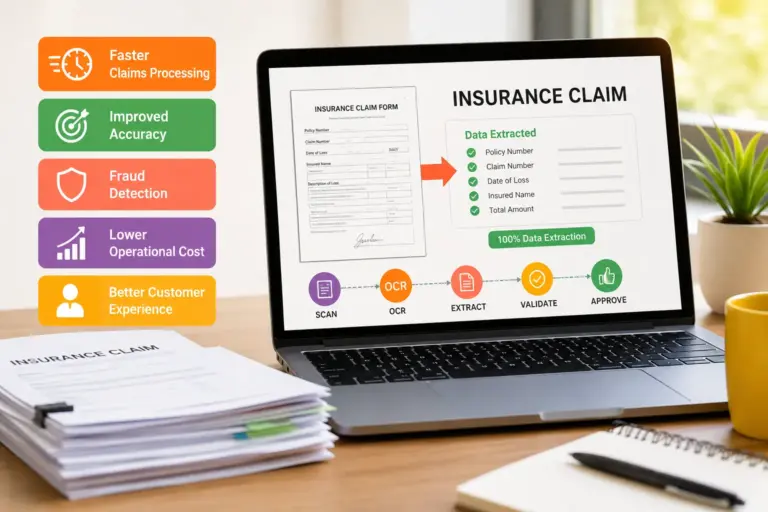
Convert Paper Documents into Searchable Digital Records
Agencies can digitize:
- Archived paper files
- Historical records
- Citizen applications
- Handwritten forms
- Faxed documents
- Signed contracts
The software extracts readable text and creates searchable digital content.
Automatically Classify Documents
AI models can identify whether a file is:
- A tax form
- Court filing
- Procurement document
- Medical claim
- Driver’s license application
- Incident report
This dramatically reduces manual sorting work.
Extract Structured Data
Instead of reading entire documents manually, agencies can pull:
- Names
- Dates
- Addresses
- Case numbers
- Financial values
- Social security identifiers
- License IDs
- Invoice totals
That data can then populate downstream systems automatically.
Trigger Workflow Automation
Modern government workflow software can route documents to:
- Compliance teams
- Approval queues
- Records management systems
- Case management platforms
- ERP software
- Citizen service portals
The result is faster processing with fewer administrative delays.
Core Technologies Behind Modern AI OCR Platforms
The biggest shift in recent years has been the move from static OCR engines to AI-driven intelligent document processing.
Several technologies power this transition.
Machine Learning Models
Machine learning improves text recognition accuracy over time, especially for:
- Poor-quality scans
- Historical records
- Handwritten forms
- Multi-language documents
- Complex layouts
Government agencies often deal with inconsistent document quality, making adaptive AI models particularly valuable.
Natural Language Processing
NLP allows systems to understand context rather than simply recognizing characters.
For example, the software can distinguish between:
- Invoice numbers
- Policy identifiers
- Legal references
- Medical terminology
- Procurement codes
This improves data extraction reliability.
Computer Vision
Computer vision helps identify:
- Signatures
- Checkboxes
- Tables
- Stamps
- Seals
- Logos
- Form structures
That matters heavily in public sector records management where formatting consistency varies widely.
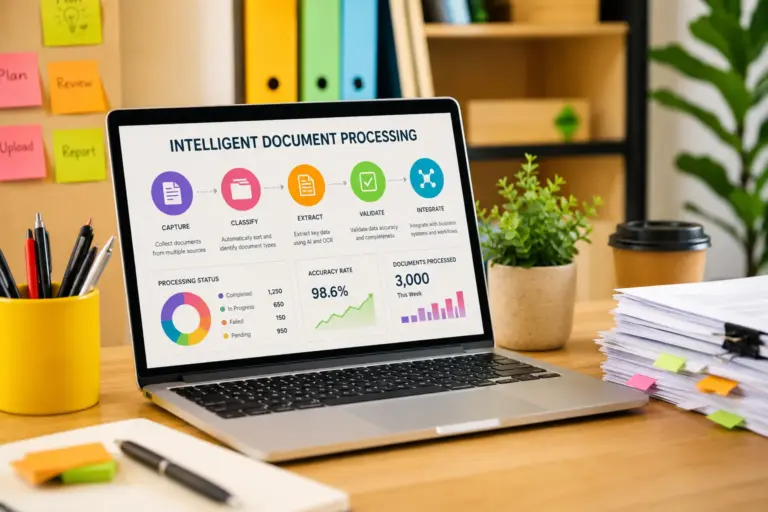
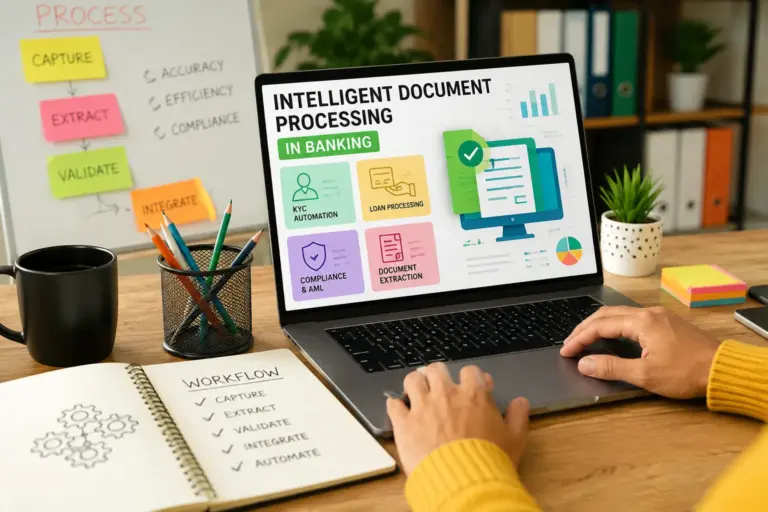
Intelligent Document Processing (IDP)
IDP platforms combine OCR with workflow automation and AI decision-making.
Rather than simply digitizing records, IDP systems can:
- Validate information
- Detect anomalies
- Flag missing fields
- Prioritize documents
- Route files automatically
This is especially valuable for high-volume departments processing thousands of documents daily.
Key Public Sector Use Cases
Government OCR adoption varies by agency type, but several use cases consistently generate strong operational value.
Citizen Services and Application Processing
Citizen-facing departments handle enormous document volumes.
Examples include:
- Passport applications
- Licensing requests
- Permit submissions
- Benefits enrollment
- Housing assistance
- Business registrations
AI OCR software accelerates intake processing by extracting application data automatically and routing submissions to the correct systems.
That reduces wait times while improving citizen experience.
Judicial and Legal Systems
Courts and legal departments manage highly document-centric workflows.
OCR systems can digitize:
- Court filings
- Evidence records
- Judicial transcripts
- Legal correspondence
- Historical case files
Searchable records improve legal discovery, reduce storage costs, and streamline case management.
Tax and Revenue Agencies
Tax departments process massive quantities of structured and semi-structured forms.
OCR automation helps:
- Extract taxpayer information
- Verify records
- Detect inconsistencies
- Accelerate processing cycles
- Reduce manual entry errors
AI models can also support fraud detection workflows by identifying anomalies across document sets.
Healthcare and Social Services
Public healthcare systems rely heavily on records management.
OCR tools assist with:
- Claims processing
- Patient intake
- Eligibility verification
- Medical records digitization
- Public health reporting
Secure document processing becomes especially important when dealing with HIPAA-regulated data and sensitive citizen information.
Law Enforcement and Public Safety
Police departments and emergency response agencies generate large volumes of operational documentation.
Examples include:
- Incident reports
- Evidence logs
- Traffic citations
- Investigative records
- Field notes
OCR systems improve retrieval speed while supporting long-term archival compliance.
Records Digitization Projects
Many governments still maintain decades of paper archives.
Large-scale digitization initiatives often involve:
- Historical preservation
- Land records modernization
- Census archives
- Municipal records conversion
- Public access digitization
AI OCR significantly improves indexing and discoverability for these initiatives.
Security and Compliance Requirements for Government OCR Software
Security is often the defining factor in government software procurement.
A commercial OCR platform that works well in the private sector may still fail government compliance requirements.
Data Sovereignty
Agencies often require data residency controls that determine:
- Where information is stored
- Which jurisdictions can access it
- How backups are handled
- Whether cloud infrastructure is approved
This is particularly important for defense, healthcare, intelligence, and law enforcement agencies.
Encryption Standards
Government OCR platforms should support:
- AES-256 encryption
- TLS-secured data transmission
- Encrypted backups
- Key management controls
Sensitive records must remain protected both in transit and at rest.
Role-Based Access Controls (RBAC)
Public sector organizations require granular permission structures.
Different users may need varying access to:
- Classified records
- Citizen data
- Financial information
- Medical documentation
- Internal investigations
RBAC ensures secure segmentation across departments and user roles.
Audit Logging and Chain of Custody
Government agencies must maintain traceability.
OCR systems should provide:
- Immutable audit logs
- User activity tracking
- Document history
- Workflow visibility
- Retention tracking
These capabilities are critical during compliance reviews and legal investigations.
Compliance Frameworks
Depending on jurisdiction and agency type, government OCR software may need alignment with:
- FedRAMP
- FISMA
- CJIS
- HIPAA
- GDPR
- SOC 2
- ISO 27001
- NIST cybersecurity standards
Compliance readiness increasingly influences vendor selection decisions.
AI Records Management and Workflow Automation
OCR alone isn’t enough for modern government operations.
The real value comes from combining OCR with AI records management and workflow automation.
Intelligent Routing
AI systems can automatically determine:
- Which department should receive a document
- Whether escalation is required
- Which workflow rules apply
- Which retention policy governs the file
This reduces manual triage work.
Automated Retention Policies
Public sector agencies often face strict retention requirements.
AI-enabled systems can apply policies based on:
- Document type
- Jurisdiction
- Legal category
- Operational function
That improves compliance consistency.
Metadata Generation
Modern OCR platforms automatically generate metadata fields such as:
- Document categories
- Dates
- Entities
- Geographic references
- Case identifiers
Rich metadata improves discoverability across enterprise records systems.
Search and Knowledge Retrieval
One of the biggest operational gains comes from searchable archives.
Instead of manually reviewing storage systems or disconnected repositories, staff can retrieve records instantly using:
- Natural language search
- Metadata filters
- Full-text indexing
- Semantic search capabilities
This dramatically improves operational efficiency.
Cloud vs On-Premise Deployment in Government Environments
Deployment strategy remains a major consideration in government IT.
Cloud-Based OCR Platforms
Cloud deployment offers:
- Faster implementation
- Elastic scalability
- Lower infrastructure overhead
- Easier updates
- AI model improvements
Cloud-native public sector automation platforms have improved significantly in recent years.
However, some agencies remain cautious about sensitive workloads.
On-Premise OCR Solutions
On-premise systems offer:
- Greater infrastructure control
- Localized data management
- Reduced external exposure
- Custom security policies
They’re still common in defense, intelligence, and highly regulated departments.
Hybrid Models
Many agencies now adopt hybrid architectures.
Examples include:
- On-premise processing with cloud analytics
- Private cloud document storage
- Segmented workload distribution
Hybrid deployment often balances modernization goals with regulatory constraints.
Integration with Existing Government Systems
OCR software rarely operates in isolation.
Government IT departments usually need integration with:
- Enterprise content management (ECM) systems
- ERP platforms
- Case management software
- Records management systems
- Identity and access management tools
- Citizen service portals
- Workflow engines
- Legacy databases
Strong API support is essential.
Without reliable integration capabilities, agencies risk creating another disconnected system rather than improving operational continuity.
Modern government workflow software should support:
- REST APIs
- Webhooks
- SSO integration
- Active Directory
- Microsoft ecosystems
- SAP integrations
- Salesforce Government Cloud environments
Interoperability is increasingly becoming a procurement priority.
Benefits of OCR for Public Sector Digital Transformation
The operational benefits extend beyond simple efficiency improvements.
Faster Citizen Service Delivery
Automated intake and document processing reduce turnaround times.
That directly impacts public trust and service quality.
Reduced Administrative Costs
Manual data entry is expensive and error-prone.
Automation reduces labor-intensive processing while improving accuracy.
Better Compliance Management
AI records management systems improve:
- Retention consistency
- Audit readiness
- Documentation traceability
- Regulatory reporting
Improved Accessibility
Digitized records are easier to:
- Search
- Share
- Translate
- Archive
- Access remotely
This supports accessibility initiatives and public transparency goals.
Disaster Recovery and Business Continuity
Paper records create operational vulnerabilities.
Digital archives improve resilience during:
- Natural disasters
- Cyber incidents
- Infrastructure disruptions
- Remote work scenarios
Common Challenges and Implementation Risks
Government OCR projects can fail when agencies underestimate operational complexity.
Poor Source Document Quality
Historical records often contain:
- Faded text
- Handwritten annotations
- Damaged pages
- Inconsistent formatting
OCR accuracy depends heavily on input quality.
Legacy Infrastructure Constraints
Many agencies still rely on decades-old systems that lack modern integration capabilities.
Middleware and custom APIs may be required.
Change Management Resistance
Employees accustomed to manual workflows may resist automation initiatives.
Training and phased implementation matter.
Data Classification Complexity
Government documents often contain mixed sensitivity levels.
Improper classification workflows can introduce security risks.
Procurement Delays
Public sector procurement cycles can significantly extend implementation timelines.
Vendor evaluation often involves:
- Security reviews
- Compliance validation
- Pilot programs
- Accessibility testing
- Legal review
How to Evaluate Government OCR Vendors
Selecting enterprise OCR software requires more than feature comparisons.
Government buyers should evaluate vendors across several dimensions.
Security Posture
Review:
- Certifications
- Encryption standards
- Access controls
- Incident response policies
- Audit capabilities
AI Accuracy
Test performance using real agency documents.
Vendor demos rarely reflect actual production complexity.
Scalability
Can the platform handle:
- Millions of records?
- Multi-agency deployments?
- Large concurrent workloads?
- Long-term archival growth?
Workflow Flexibility
Government processes vary widely across departments.
Rigid workflows create operational friction.
Accessibility Compliance
Public sector platforms often require compliance with accessibility standards such as Section 508.
Vendor Stability
Long-term vendor viability matters heavily in government environments where systems may remain operational for decades.
Important Features Government IT Teams Should Prioritize
Not every OCR platform is built for public sector requirements.
Several capabilities deserve special attention.
Multi-Language Support
Government agencies often process multilingual documentation.
Advanced OCR systems should recognize:
- Multiple alphabets
- Regional forms
- Mixed-language documents
Handwriting Recognition
Handwritten records remain common in:
- Law enforcement
- Healthcare
- Historical archives
- Field operations
AI handwriting recognition significantly expands automation potential.
Classification Automation
Automated document categorization reduces operational bottlenecks.
Redaction Capabilities
Sensitive data redaction is increasingly important for:
- FOIA requests
- Public disclosure
- Legal discovery
- Privacy compliance
Workflow Analytics
Operational dashboards help agencies measure:
- Processing times
- Error rates
- Backlogs
- Automation efficiency
Data visibility supports continuous improvement initiatives.
Role of AI in Intelligent Document Processing
The future of government OCR software is increasingly tied to AI-driven decision support.
Modern systems are moving toward:
- Context-aware extraction
- Predictive workflows
- Automated validation
- Semantic search
- Generative AI-assisted summarization
For example, an AI system may eventually:
- Summarize lengthy case files
- Detect missing documentation
- Recommend workflow routing
- Identify fraud indicators
- Surface related records automatically
However, government agencies remain cautious about fully autonomous decision-making.
Human oversight, explainability, and auditability remain critical requirements.
Responsible AI governance is becoming part of public sector procurement criteria.
Cost Considerations and Procurement Factors
Government OCR projects involve both direct and indirect costs.
Licensing Models
Vendors may charge based on:
- Per-user licensing
- Page volume
- API usage
- Storage consumption
- Workflow tiers
Understanding long-term scaling costs is important.
Infrastructure Costs
On-premise deployments may require:
- Dedicated servers
- GPU resources
- Backup systems
- Security appliances
Cloud deployments shift spending toward operational expenditure.
Training and Implementation
Budgeting should include:
- Staff onboarding
- Workflow redesign
- Integration development
- Testing
- Change management
Ongoing Maintenance
AI systems require:
- Model updates
- Security patching
- Compliance reviews
- Data governance oversight
Ignoring maintenance planning can create long-term operational risks.
Future Trends in Government Workflow Software
Several trends are shaping the next generation of public sector automation platforms.
Generative AI Integration
Agencies are exploring controlled use cases for:
- Document summarization
- Automated correspondence drafting
- Policy analysis
- Search enhancement
Hyperautomation
OCR is increasingly part of broader automation ecosystems involving:
- Robotic process automation (RPA)
- AI orchestration
- Workflow intelligence
- Decision automation
Privacy-Preserving AI
Techniques such as:
- Federated learning
- Differential privacy
- Zero-trust architectures
are becoming more relevant in sensitive government environments.
Digital Identity Integration
OCR systems are increasingly tied to:
- Identity verification
- Citizen authentication
- Fraud prevention systems
Advanced Semantic Search
Search is evolving from keyword matching to contextual understanding.
This improves records retrieval across massive government archives.
FAQ
What is government OCR software?
Government OCR software is an AI-powered document processing system designed to digitize, classify, extract, and manage records in public sector environments while meeting security and compliance requirements.
How does OCR support public sector automation?
OCR automates manual document handling processes such as data entry, classification, indexing, and workflow routing. This improves operational efficiency and accelerates citizen service delivery.
Is cloud OCR secure enough for government agencies?
Many cloud OCR platforms now support government-grade security standards including FedRAMP, encryption, RBAC, and audit logging. However, deployment suitability depends on agency-specific compliance requirements.
Can OCR recognize handwritten government forms?
Modern AI OCR systems can recognize many forms of handwriting, especially when trained on structured forms and historical records datasets.
What’s the difference between OCR and intelligent document processing?
OCR extracts text from documents. Intelligent document processing combines OCR with AI, machine learning, workflow automation, and data validation.
What compliance standards matter for government OCR software?
Common standards include FedRAMP, FISMA, CJIS, HIPAA, SOC 2, ISO 27001, GDPR, and NIST cybersecurity frameworks.
Does OCR reduce records management costs?
Yes. OCR reduces manual labor, improves retrieval efficiency, lowers physical storage costs, and supports automated retention management.
Can government OCR software integrate with legacy systems?
Most enterprise-grade platforms support APIs and middleware integrations, although legacy infrastructure may require additional customization.
Conclusion
Government agencies are under pressure to modernize operations without compromising security, compliance, or public accountability.
That’s why government OCR software has evolved far beyond basic scanning technology.
Modern AI-driven platforms now support secure document processing, intelligent records management, workflow automation, compliance governance, and enterprise-scale digital transformation initiatives across the public sector.
For government IT leaders, the challenge is no longer whether document automation matters. The real question is how to implement scalable, secure, interoperable systems that improve operational performance while meeting strict regulatory obligations.
Agencies that approach OCR strategically — as part of a broader digital transformation architecture — are far more likely to improve efficiency, reduce administrative burden, strengthen compliance readiness, and deliver faster citizen services over the long term.