AI PDF Data Extraction for Enterprises: Choosing the Right PDF Data Extraction Software for Scalable Document Automation
AI PDF Data Extraction for Enterprises
Manual PDF processing quietly drains productivity in many enterprises. Finance teams still copy invoice fields into ERP systems. HR departments manually review onboarding documents. Logistics operators process scanned shipping records one page at a time. Legal teams sift through contracts buried inside image-based PDFs.
At scale, these workflows become expensive fast.
The bigger problem isn’t just labor cost. It’s operational friction. Delayed approvals, inconsistent data entry, compliance risks, missed SLAs, and fragmented workflows all trace back to one stubborn reality: enterprise data is often trapped inside PDFs.
That’s why AI-powered PDF data extraction software has become a major priority for digital transformation initiatives.
Modern intelligent document extraction platforms combine OCR, natural language processing, machine learning, and workflow automation to transform static files into structured, actionable business data. The technology has matured rapidly over the last few years, especially as enterprise AI adoption accelerated across operations, procurement, accounting, and customer support environments.
Organizations evaluating PDF automation AI tools today aren’t simply buying OCR anymore. They’re investing in enterprise-grade document intelligence infrastructure.
This shift matters because document-heavy operations sit at the center of almost every enterprise workflow.
Why Enterprises Still Struggle With PDF Data
PDF remains one of the most common document formats in enterprise environments because it’s portable, secure, and standardized. Unfortunately, it’s also notoriously difficult to automate.
Most enterprise PDFs fall into one of these categories:
- Scanned image PDFs
- Semi-structured forms
- Invoices and receipts
- Contracts
- Purchase orders
- Bills of lading
- Compliance documents
- Medical records
- Insurance claims
- Bank statements
- Vendor onboarding packets
The issue is consistency.
One vendor invoice may place totals at the top right corner. Another places them near the footer. Some PDFs contain selectable text. Others are simply images. Multi-language documents complicate extraction further.
Traditional OCR systems were designed primarily for text recognition, not business understanding.
That distinction is critical.
An enterprise operations team doesn’t just need to “read text.” They need systems that understand:
- invoice numbers
- vendor names
- payment terms
- tax amounts
- shipment dates
- customer IDs
- signatures
- legal clauses
- line items
- exception conditions
This is where AI PDF parsers outperform legacy OCR solutions.
What Is AI PDF Data Extraction?
AI PDF data extraction refers to the use of artificial intelligence technologies to automatically identify, classify, extract, validate, and organize information from PDF documents.
Unlike conventional OCR tools, intelligent document extraction systems combine several technologies together:
- Optical Character Recognition (OCR)
- Machine Learning (ML)
- Natural Language Processing (NLP)
- Computer Vision
- Layout Detection
- Entity Recognition
- Workflow Automation Engines
The goal isn’t just digitization.
The goal is operational intelligence.
Modern enterprise OCR software can process large document volumes while identifying relationships between fields, validating extracted data against business rules, and routing information into downstream systems automatically.
For example:
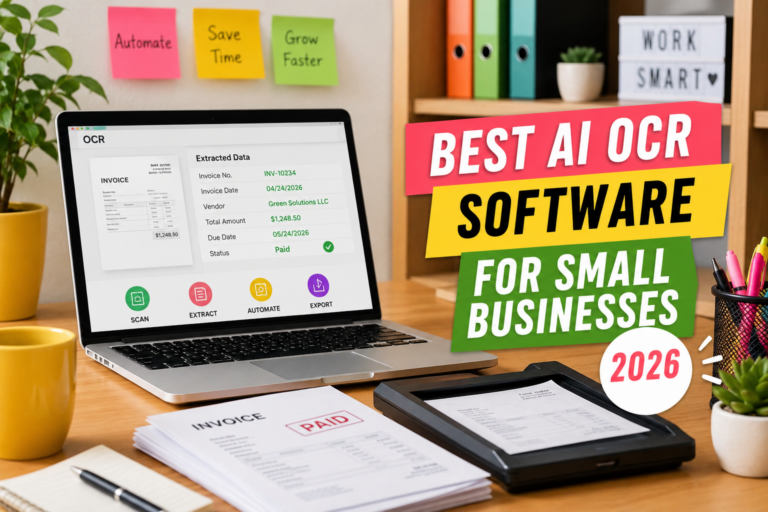
A procurement team uploads 20,000 supplier invoices monthly. AI extraction software identifies invoice totals, vendor IDs, purchase order references, tax fields, and due dates. The platform validates those values against ERP records, flags anomalies, and routes approved invoices into accounts payable workflows without manual review.
That entire process can happen in minutes.
How Modern PDF Data Extraction Software Works
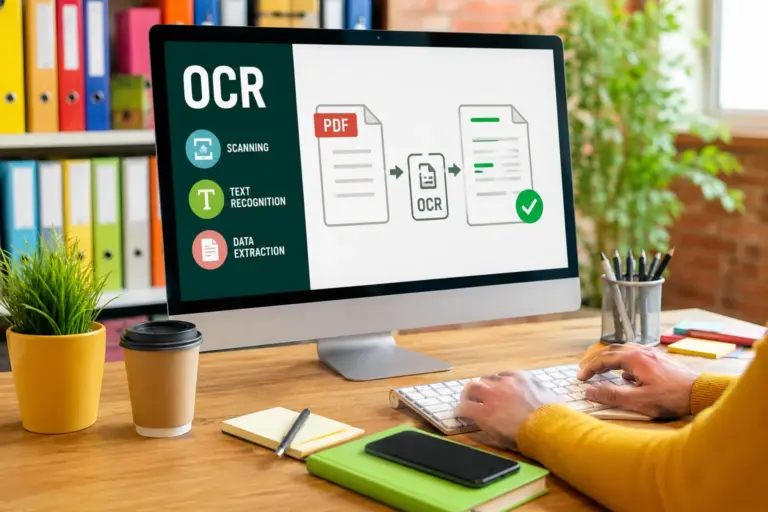
OCR: The Foundational Layer
OCR converts scanned images into machine-readable text.
Traditional OCR engines struggled with:
- skewed scans
- handwritten notes
- low-resolution images
- multi-column layouts
- stamps and signatures
- inconsistent formatting
Modern enterprise OCR software uses deep learning models that significantly improve recognition accuracy.
Advanced OCR engines now support:
- multilingual extraction
- handwriting recognition
- table detection
- form recognition
- image enhancement
- low-quality scan correction
Still, OCR alone isn’t enough for enterprise automation.
Natural Language Processing (NLP)
NLP helps systems understand document meaning rather than raw text alone.
For example:
A contract may reference:
- “Effective Date”
- “Contract Commencement”
- “Start of Agreement”
NLP models understand these may represent the same business entity.
This becomes extremely valuable for:
- legal operations
- insurance processing
- procurement workflows
- customer onboarding
- compliance reviews
Enterprise document workflow automation platforms increasingly rely on transformer-based language models to improve contextual understanding.
Computer Vision for Layout Intelligence
Enterprise PDFs rarely follow uniform layouts.
Computer vision models analyze:
- document structure
- tables
- sections
- headers
- logos
- signatures
- spatial relationships
This allows AI PDF parsers to process highly variable documents without requiring rigid templates.
Template-free extraction has become a major differentiator in intelligent document processing platforms.
Machine Learning and Continuous Improvement
Enterprise AI extraction systems improve over time through feedback loops.
If operations teams correct extracted fields manually, machine learning models can retrain using those corrections.
Over time, this reduces:
- exception handling
- review time
- extraction errors
- workflow bottlenecks
Continuous learning is particularly important for organizations processing high document diversity.
Workflow Automation and Orchestration
The extraction layer is only part of the equation.
Enterprise PDF automation AI platforms also integrate:
- routing logic
- approvals
- exception handling
- notifications
- integrations
- audit trails
- governance controls
This transforms extraction software into a broader intelligent document processing ecosystem.
Structured vs Unstructured Document Extraction
Understanding this distinction helps enterprises choose the right software.
Structured Documents
Structured PDFs follow predictable formats.
Examples:
- tax forms
- application forms
- standardized invoices
- payroll reports
These are relatively easier to automate because field locations remain consistent.
Semi-Structured Documents
Semi-structured files vary slightly between sources but still follow recognizable patterns.
Examples:
- supplier invoices
- shipping documents
- purchase orders
Most enterprise extraction projects fall into this category.
Unstructured Documents
Unstructured PDFs contain highly variable layouts and natural language content.
Examples:
- contracts
- legal correspondence
- medical reports
- insurance claims
- compliance documents
These require advanced AI models capable of semantic understanding.
Many organizations underestimate how difficult unstructured extraction becomes at scale.
Key Features Enterprises Should Prioritize
Not all PDF data extraction software is built for enterprise environments.
Operations leaders should evaluate platforms across several dimensions.
High-Accuracy OCR
Accuracy directly impacts operational ROI.
Look for:
- multilingual support
- handwriting recognition
- table extraction
- image enhancement
- low-resolution tolerance
Template-Free Extraction
Rule-based template systems become difficult to maintain at scale.
AI-driven layout intelligence dramatically reduces operational overhead.
Human-in-the-Loop Validation
Even advanced AI systems require exception handling.
Strong platforms include:
- validation dashboards
- confidence scoring
- review queues
- audit logs
- approval workflows
Enterprise Integrations
Document extraction rarely operates in isolation.
Integration support matters for:
- SAP
- Oracle
- Salesforce
- Microsoft Dynamics
- ServiceNow
- Workday
- SharePoint
- RPA platforms
- cloud storage systems
Security and Compliance
Enterprise buyers increasingly prioritize:
- SOC 2
- ISO 27001
- HIPAA
- GDPR
- data residency
- encryption
- access controls
- auditability
Document workflows often involve highly sensitive information.
Scalability
Pilot projects may process thousands of documents monthly.
Production deployments often scale into millions.
Evaluate:
- throughput
- latency
- concurrency
- API performance
- cloud architecture
- deployment flexibility
AI PDF Parser vs Traditional OCR Software
This comparison often determines purchasing decisions.
| Capability | Traditional OCR | AI PDF Parser |
|---|---|---|
| Text Recognition | Yes | Yes |
| Context Understanding | Limited | Advanced |
| Layout Detection | Basic | Dynamic |
| Table Extraction | Weak | Strong |
| Template-Free Processing | Rare | Common |
| Continuous Learning | Minimal | Built-in |
| Workflow Automation | Limited | Extensive |
| Semantic Extraction | No | Yes |
| Unstructured Documents | Poor | Strong |
| Enterprise Automation | Partial | End-to-End |
Traditional OCR systems still work for basic digitization projects. But enterprises pursuing large-scale workflow automation increasingly need intelligent document extraction capabilities.
Enterprise Use Cases Across Industries
Finance and Accounts Payable
Invoice processing remains one of the biggest enterprise automation opportunities.
AI PDF extraction software can automate:
- invoice capture
- PO matching
- tax validation
- approval routing
- payment reconciliation
Benefits include:
- lower processing costs
- faster approvals
- reduced late fees
- improved compliance
Logistics and Supply Chain
Logistics operations process enormous document volumes.
Common use cases:
- bills of lading
- customs forms
- shipping manifests
- proof of delivery
- freight invoices
AI extraction reduces operational delays and improves visibility across supply chain systems.
Healthcare
Healthcare organizations deal with highly fragmented documentation.
Examples:
- patient intake forms
- insurance claims
- medical records
- prescriptions
- lab reports
Enterprise OCR software helps reduce administrative burden while improving record accessibility.
Insurance
Insurance carriers process massive quantities of semi-structured and unstructured documents.
AI PDF parsers support:
- claims automation
- underwriting workflows
- policy extraction
- fraud detection
- compliance reviews
Legal Operations
Legal departments increasingly adopt intelligent document extraction to accelerate:
- contract review
- clause extraction
- due diligence
- eDiscovery
- regulatory analysis
Advanced NLP models are especially valuable here.
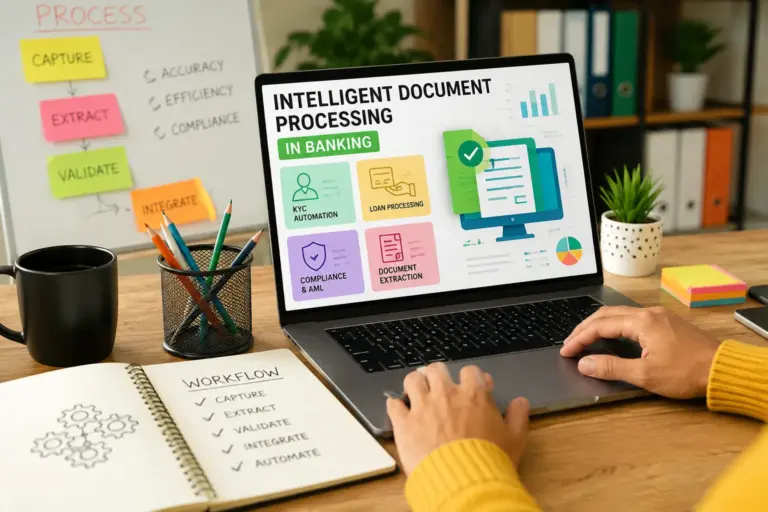
Intelligent Document Extraction Workflows
A mature enterprise workflow typically includes several stages.
Step 1: Document Ingestion
Documents enter through:
- APIs
- uploads
- scanners
- mobile apps
- cloud storage
Step 2: Classification
AI models identify document types automatically.
Examples:
- invoice
- receipt
- contract
- claim
- onboarding form
Step 3: Extraction
Relevant fields are extracted using OCR and AI models.
Step 4: Validation
Business rules validate extracted values.
Examples:
- duplicate invoices
- invalid PO numbers
- missing signatures
- mismatched totals
Step 5: Workflow Routing
Documents move through approval or processing pipelines automatically.
Step 6: System Integration
Validated data flows into:
- ERP systems
- CRM platforms
- data warehouses
- analytics environments
Step 7: Monitoring and Optimization
Analytics dashboards track:
- accuracy
- processing times
- exceptions
- throughput
- cost savings
Security, Compliance, and Governance Considerations
Enterprise buyers often underestimate governance complexity.
Document workflows frequently contain:
- financial data
- personal information
- healthcare records
- confidential contracts
- regulated disclosures
This creates major compliance obligations.
Key Security Features
Look for:
- encryption at rest
- encryption in transit
- role-based access control
- SSO integration
- audit trails
- retention policies
- zero-trust architecture
AI Governance
As AI adoption expands, enterprises increasingly evaluate:
- model explainability
- data lineage
- bias mitigation
- training transparency
- governance controls
This is becoming especially important in regulated industries.
Integration With Enterprise Systems
Standalone extraction tools rarely deliver maximum value.
Integration depth often determines long-term success.
ERP Integration
Finance automation depends heavily on ERP connectivity.
Common integrations include:
- SAP S/4HANA
- Oracle NetSuite
- Microsoft Dynamics 365
CRM Integration
Customer onboarding workflows benefit from integration with:
- Salesforce
- HubSpot
- ServiceNow
RPA and Workflow Platforms
Many enterprises combine AI document extraction with robotic process automation.
Popular platforms include:
- UiPath
- Automation Anywhere
- Blue Prism
The combination creates broader hyperautomation capabilities.
Evaluating PDF Automation AI Platforms
Enterprise buyers should avoid evaluating vendors solely on demo accuracy.
Real-world deployments introduce complexity quickly.
Questions Worth Asking Vendors
How does the model handle unseen document layouts?
Template dependency becomes a scaling problem.
What are average exception rates in production?
Pilot environments often hide operational realities.
How is model retraining handled?
Continuous improvement workflows matter.
What governance features exist?
Security and compliance reviews can delay deployments significantly.
What deployment models are available?
Some enterprises require:
- on-premise deployment
- private cloud
- hybrid infrastructure
- air-gapped environments
Important Evaluation Metrics
Track:
- field-level accuracy
- straight-through processing rate
- average handling time
- exception frequency
- processing cost per document
- deployment time
Common Implementation Mistakes
Treating OCR as the Entire Solution
Extraction without workflow orchestration delivers limited operational value.
Ignoring Exception Handling
Even highly accurate systems require human review processes.
Underestimating Change Management
Operations teams need training, governance, and adoption planning.
Failing to Define KPIs
Without clear metrics, ROI becomes difficult to prove.
Automating Broken Processes
AI accelerates workflows. It doesn’t automatically fix poor operational design.
Process optimization should happen before large-scale automation deployment.
ROI and Operational Benefits
The strongest enterprise business cases typically focus on several areas simultaneously.
Labor Cost Reduction
Manual data entry remains expensive and error-prone.
AI extraction reduces repetitive operational tasks significantly.
Faster Processing Times
Documents that once took hours can process in minutes.
This improves:
- customer response times
- supplier payments
- operational agility
Better Data Quality
AI validation reduces:
- duplicate records
- missing fields
- inconsistent entries
- compliance issues
Improved Analytics
Structured document data becomes searchable and analyzable.
This unlocks:
- reporting
- forecasting
- operational intelligence
- compliance monitoring
Employee Productivity
Teams spend less time on repetitive extraction tasks and more time on exception management, analysis, and decision-making.
Future Trends in Enterprise Document Automation
The document AI market is evolving quickly.
Several trends are reshaping enterprise buying decisions.
Multimodal AI Models
Newer systems combine:
- text understanding
- visual analysis
- layout reasoning
- contextual interpretation
This improves extraction accuracy across highly variable documents.
Generative AI for Document Understanding
Large language models increasingly support:
- summarization
- classification
- contract analysis
- semantic search
- conversational querying
Enterprises are beginning to layer generative AI on top of traditional extraction pipelines.
Autonomous Workflow Automation
Future platforms will likely combine:
- extraction
- decisioning
- orchestration
- exception resolution
into unified AI operations systems.
Industry-Specific Models
Verticalized AI models trained on domain-specific documents are becoming more common in:
- healthcare
- insurance
- legal
- banking
- logistics
These specialized models often outperform generic OCR systems.
FAQ
What is PDF data extraction software?
PDF data extraction software automatically identifies and extracts structured information from PDF documents using OCR, AI, and machine learning technologies.
How does an AI PDF parser work?
An AI PDF parser combines OCR, NLP, computer vision, and machine learning to interpret document layouts, identify fields, and extract meaningful business data automatically.
What is the difference between OCR and intelligent document extraction?
OCR converts images into text. Intelligent document extraction goes further by understanding document structure, semantics, relationships, and workflows.
Can enterprise OCR software process scanned PDFs?
Yes. Modern enterprise OCR platforms are specifically designed to handle scanned image PDFs, low-quality scans, handwritten text, and complex layouts.
Which industries benefit most from PDF automation AI?
Finance, healthcare, insurance, logistics, legal, manufacturing, and government organizations often see substantial efficiency gains from document automation.
Is AI document extraction secure?
Enterprise-grade platforms typically include encryption, role-based access controls, audit trails, compliance certifications, and governance features designed for regulated environments.
What should enterprises look for in PDF data extraction software?
Key considerations include:
extraction accuracy
scalability
template-free processing
workflow automation
security compliance
integrations
deployment flexibility
AI learning capabilities
Can AI extraction software integrate with ERP systems?
Yes. Most enterprise platforms support integrations with ERP, CRM, RPA, and workflow management systems.
Conclusion
Enterprise document processing is moving beyond simple OCR.
Organizations now expect AI systems that can understand documents, automate workflows, validate business logic, integrate with enterprise platforms, and continuously improve over time.
That shift is turning PDF data extraction software into a core operational technology layer rather than a standalone utility.
For operations managers and digital transformation teams, the biggest opportunity isn’t merely reducing manual entry. It’s building scalable, intelligent workflows that unlock faster decisions, cleaner data, stronger compliance, and more efficient business operations across the enterprise.
Companies that modernize document workflows early will likely gain a significant operational advantage as AI-driven automation becomes standard across enterprise infrastructure.